
The idea in 12 seconds
Read the transcript
What is the customer trying to decide? Observe where the person pauses. Separate evidence from explanation. Make the next step useful and clear. Diagram: Observe → Understand → Help.
In a recent conversation, I said: “I don’t really call it marketing automation anymore.” I described the work as “orchestration or psychological journeys to guide the clients towards the next steps.”
That is the shift in how I describe my work. The workflow still needs to run correctly. But the more useful design question is what helps a person move forward: what they understand, what they are unsure about, and what the next action asks of them.
Earlier in the same conversation, I was talking about removing psychological barriers. My questions were concrete: “But what do you say in the email? How do you actually communicate? What is the next step for them?”
Those questions give us a way to review a customer journey before adding more messages.
Start with the decision someone is making
An automation rule can say: “Send a reminder two days after signup.” It describes a trigger and an action. It leaves an important question unanswered: why has this person stopped?
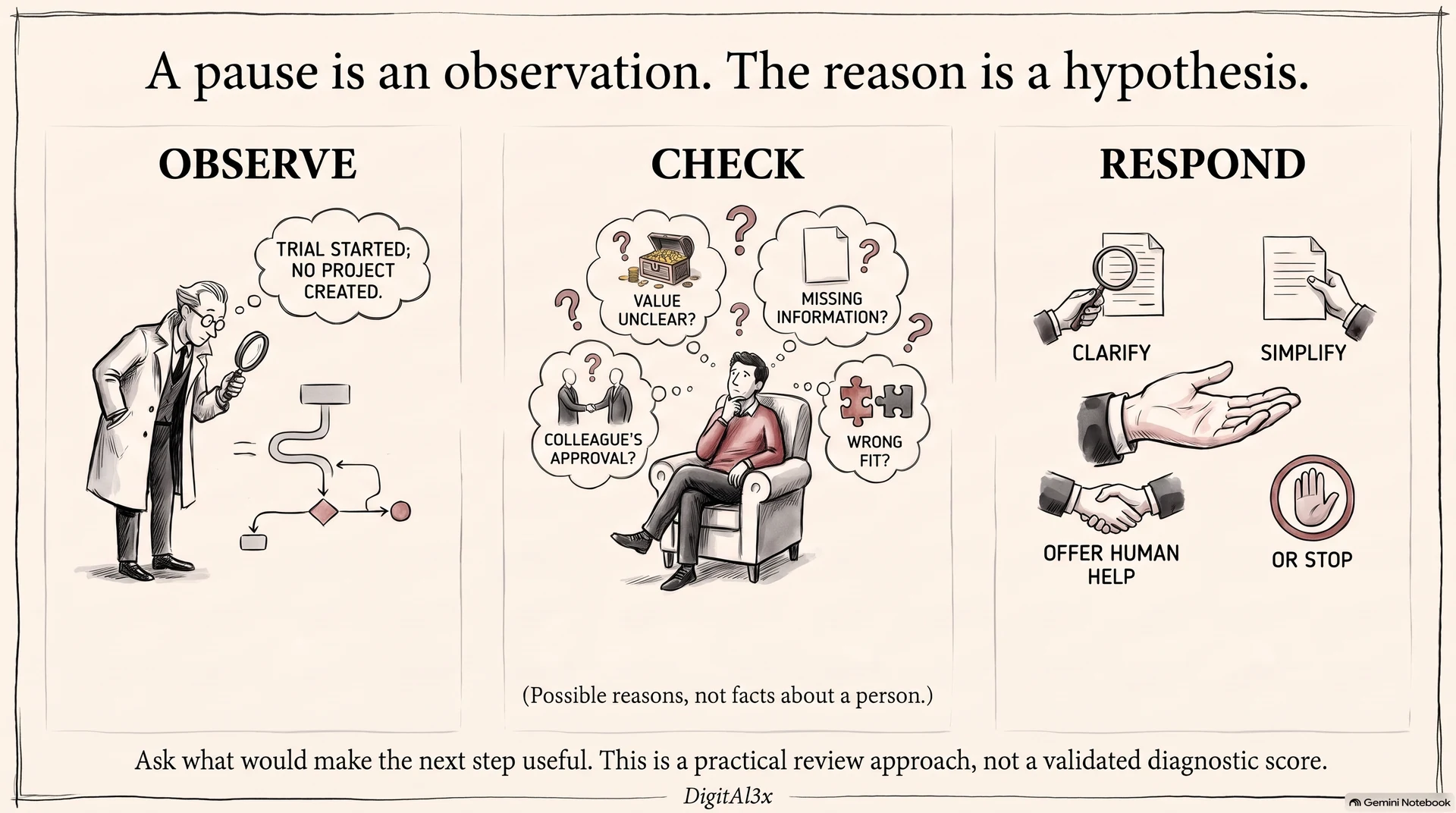
They might not see the value yet. They might need a colleague’s approval, lack the information required to continue, or simply have decided the product is wrong for them. The same recorded event can sit behind very different decisions.
A psychological journey begins with a working explanation of that pause. Treat the explanation as a hypothesis. A page visit is an observation; “they are anxious about committing” is an interpretation. Customer questions, support conversations and usability sessions can help you distinguish them.
Then choose a response that addresses the likely obstacle. That might be a clearer explanation, a smaller first task, a conversation with a person, or no further reminder.
Three mechanisms worth understanding
1. The action may be harder than the message suggests
BJ Fogg’s Behavior Model brings motivation, ability and a prompt together. It is a useful design model for asking whether someone wants to act, can act in the circumstances, and encounters a suitable prompt. It does not calculate your conversion rate.
Consider an illustrative onboarding email asking someone to “set up your workspace”. That may hide several decisions: what to import, which permissions to grant and whom to invite. A first step using sample data could let them understand the product before making those commitments. Repeating the original instruction would leave that work unresolved.
2. People need room to choose
Richard Ryan and Edward Deci’s research on self-determination identifies autonomy, competence and relatedness as important psychological needs. It distinguishes personally endorsed motivation from pressure or external control. This is broader research on motivation, not a promise that a particular email will increase sales.
Applied cautiously to a journey, it suggests useful questions. Does the person understand what they are agreeing to? Can they change direction? Can they ask for help without being pushed into a call? A clear explanation of effort, cost and what happens next gives someone a better basis for deciding.
3. An intention may still need a practical plan
In a randomised field experiment published in PNAS, Katherine Milkman and colleagues added planning prompts to workplace vaccination reminders. Asking recipients to record a date and time increased uptake in that setting; asking only for a date did not produce a statistically significant difference.
The relevant distinction is between wanting to do something and having a concrete occasion to do it. A customer who chooses to continue might benefit from saving a task for a time they select. That is a hypothesis to test in your context. The study does not establish the effect of reminders in your business.
An example: the trial that never gets started
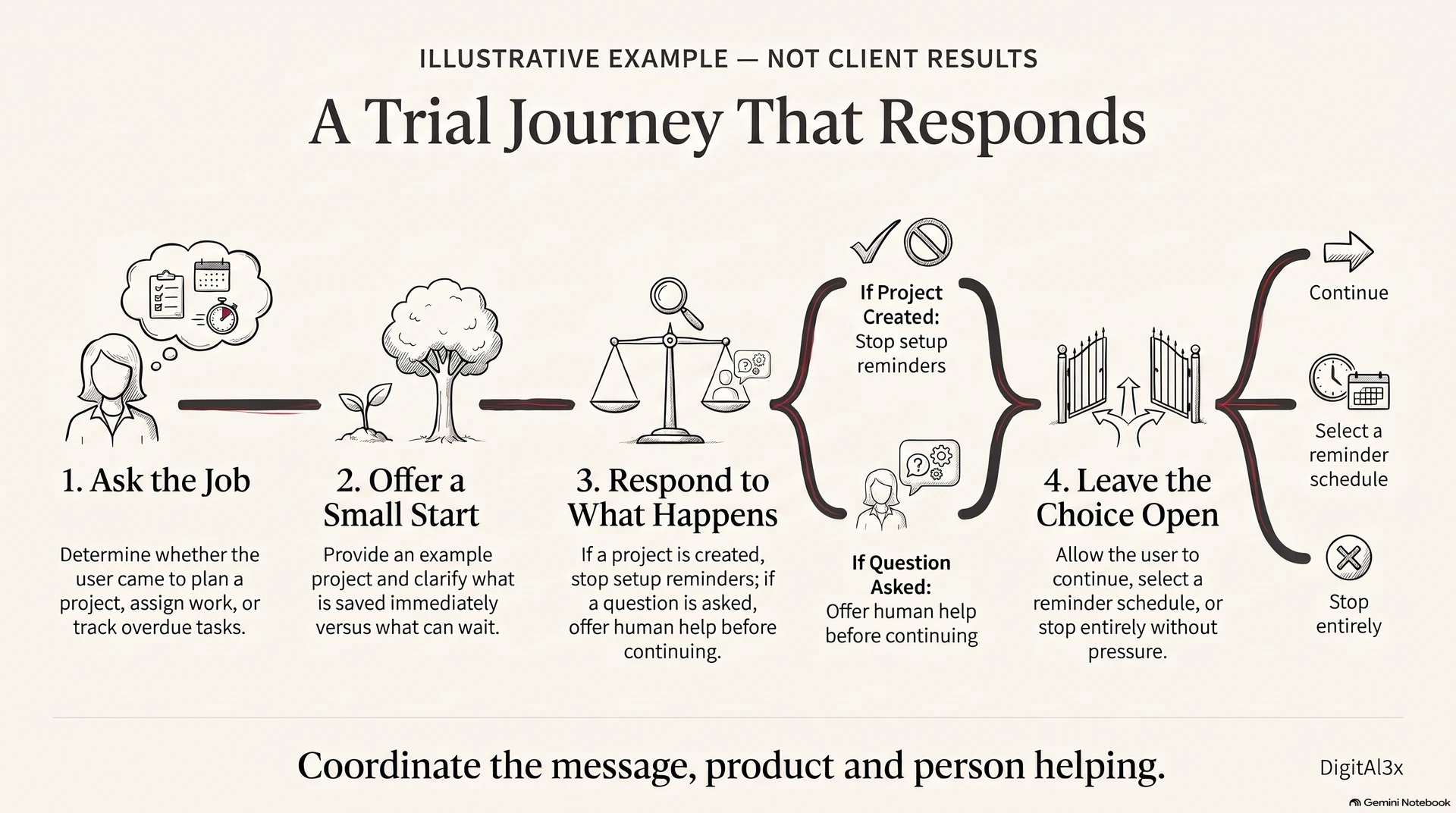
This is an illustrative scenario, not a client case or a reported result. A person starts a trial of a project planning tool but has not created a project.
A sequence built around elapsed time might send a feature list, a testimonial and another reminder to log in. A journey built around the person’s task could work differently:
- Establish the job. Ask which task they came to solve: planning a project, assigning work or seeing what is overdue. Use their answer to select a relevant starting point.
- Make the first attempt manageable. Offer a small example project. Explain which information will be saved and which steps can wait.
- Respond to what happens. If they create a project, stop the setup reminders. If they ask a question, route it to someone who can answer before the sequence continues.
- Leave the next step open. Let them continue, choose a reminder or stop. A refusal is information about fit, not an invitation to increase pressure.
The orchestration is the coordination of those responses. The message, the product and the person answering a question need to agree about where the customer is.
Where gamification can fit
In the recording, I also mentioned gamification for specific industries and specific aspects of the journey. That qualification matters. A progress indicator can make a genuine task easier to understand; a badge has little value if the task itself remains confusing.
For the illustrative trial above, a checklist could show which setup steps are complete and which are optional. Progress should reflect useful work. Avoid invented urgency, misleading completion percentages or rewards that pressure someone into an action they would otherwise reject. The test is whether the feature helps the customer understand and accomplish their own task.
Review one journey with your team
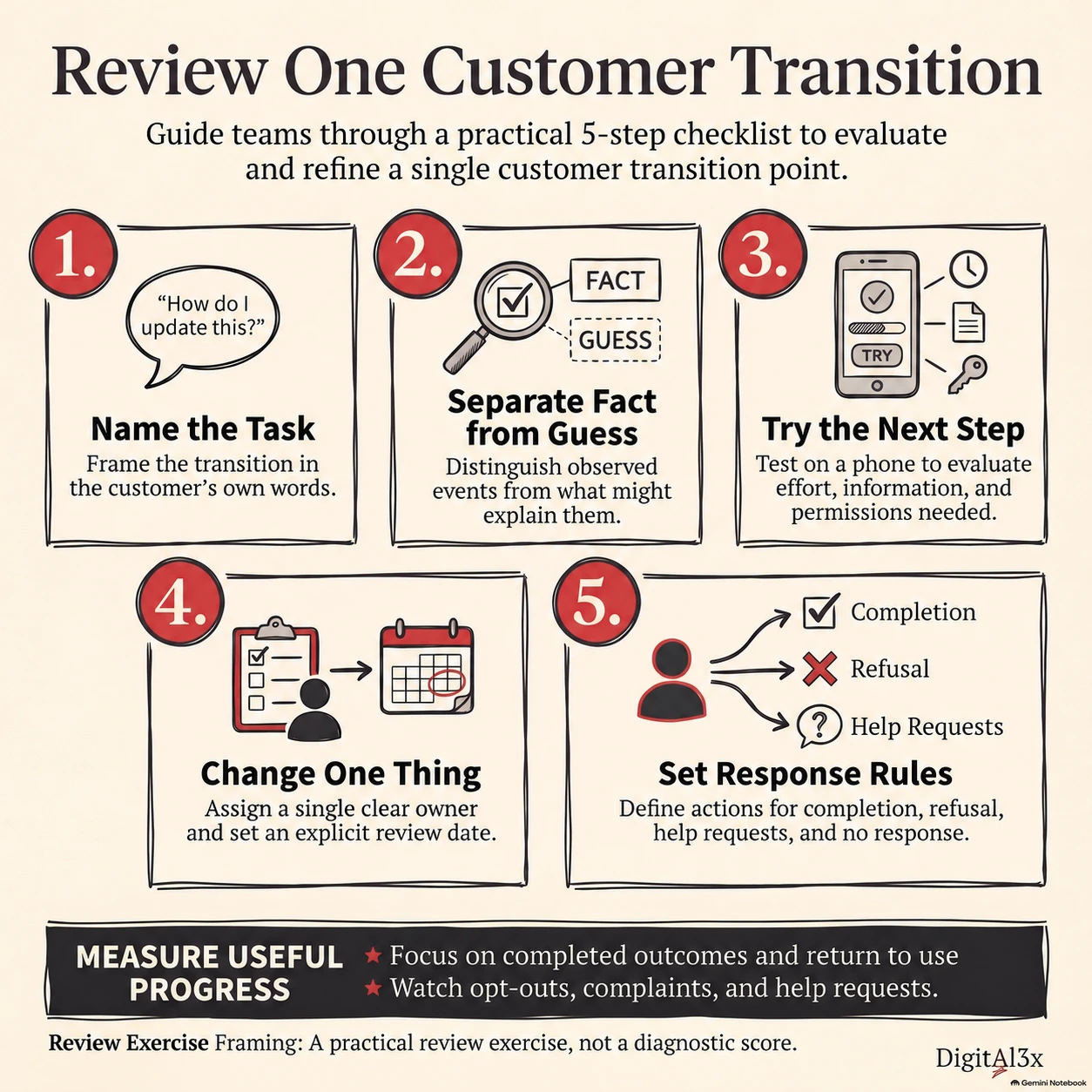
Choose a single transition, such as enquiry to first conversation or signup to first useful action. Review the actual page, message, destination and response together. Use this short exercise:
- Name the customer’s task. Write what they are trying to achieve in their own words, using a recorded question where possible.
- Separate evidence from explanation. Record what they did or said, then the obstacle you suspect. Mark missing information as unknown.
- Inspect the next step. Check the information, effort, permissions and commitment it requires. Open it on a phone.
- Change one thing. Remove one unnecessary task or answer one unresolved question. Name an owner and a review date.
- Set the stop and handoff rules. Decide what happens after completion, refusal, a request for help or no response.
Keep a simple record: customer task; observed pause; possible obstacle; proposed change; evidence to check. This is a practical review exercise, not a validated diagnostic score.
Measure whether the next step became more useful
Define a meaningful outcome before changing the journey. For the trial example, it could be creating a usable project and returning to work on it. Track the eligible starting group and completed outcomes, alongside opt-outs, complaints and requests for help. A click alone cannot tell you whether the person accomplished anything.
Where volume allows, compare randomly assigned versions. Otherwise, record the audience, offer and timing alongside the before-and-after counts. Treat a small change as a reason to investigate, rather than proof of causation.
That brings the review back to the questions from my conversation: what are you saying, how are you communicating, and what is the next step for the person receiving it?
Bring one journey, not your whole marketing stack. If you want another perspective, book a conversation with me. Bring the step where people pause and the message they receive. Remove customer names and personal details. We can start with what would make that next step clearer.
For the operational side, read how to find where a business process gets stuck before adding automation. If the pause starts with an enquiry, the five-enquiry review offers a way to inspect what happened.
Infographics created with NotebookLM from this article. The checklist’s author credit was corrected during image editing.